Setup Guide
A setup guide to help you get the most out of PocketCorder
How to Use
Download PC App
Download the free or paid version from the homepage and install it.
Launch PC App
On first launch, you'll be asked for necessary permissions. Please allow these as they are required for remote control and screen sharing.
Open the Browser QR Code
Use your phone camera to scan the browser QR code shown in the PC app.
* The mobile app has been discontinued. Please use the browser version from now on.
Start Operating
Your PC screen will appear on your smartphone, and you can control it with touch.
Prevent PC from Sleeping
When your PC sleeps, you cannot connect from your smartphone. With the following settings, you can turn off only the display and prevent sleep.
Open System Settings
Select "System Settings" from the Apple menu at the top left.
Open "Lock Screen"
Select "Lock Screen" from the left menu.
Check Display Off Time
If "Turn display off on power adapter when inactive" is set to anything other than "Never", it's OK. Even when the display is off, the PC won't sleep.
Connect from Outside with Tailscale Funnel
With Tailscale Funnel, you can connect to your PC from outside. No port forwarding or static public IP setup required.
Install Tailscale and sign in
Download Tailscale from the official site, install it on your PC, then launch the Tailscale app and sign in.
Enable External Connection in PC App
Turn ON "Enable External Connection" in the PocketCorder PC app. On first use, approve Funnel on the Tailscale screen. Admin permission may be required. After approval, the QR code will include the external connection URL.

Settings → Connection tab, turn ON "Enable External Connection"
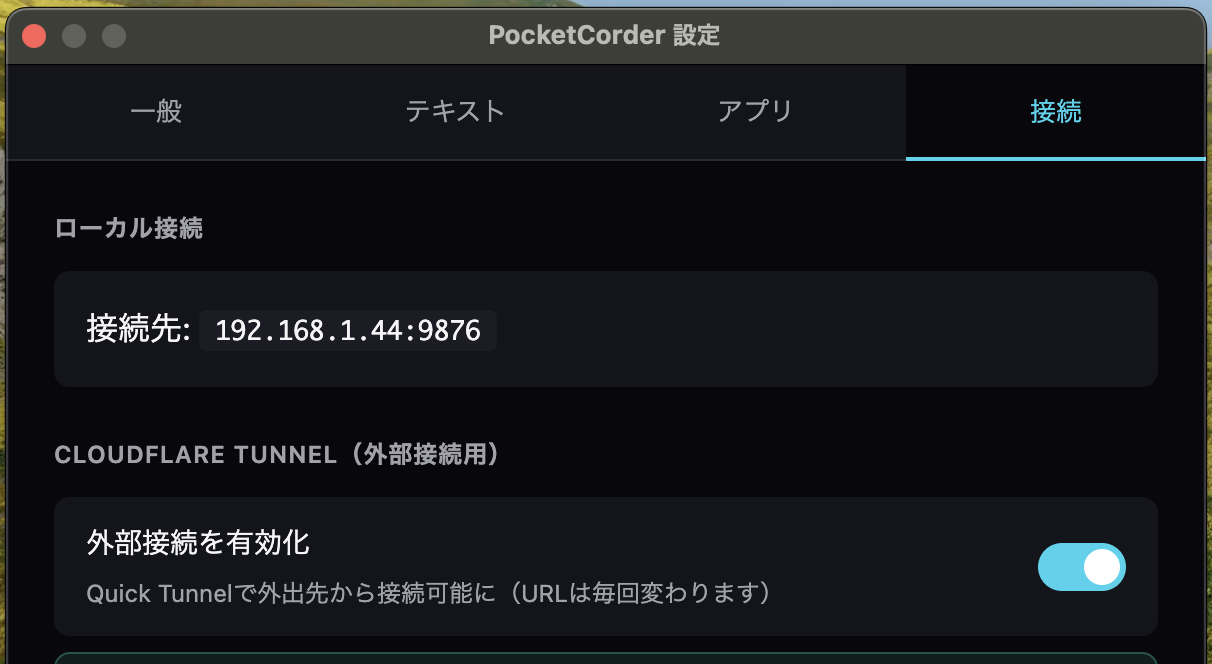
Check connection status from the menu bar
Note
External access will not work if Tailscale is not signed in or Funnel is not approved. If connection fails, check the PC status and scan the QR code again.
FAQ
If you launch the PC app, set access permissions, and scan the QR code, you should be able to connect as long as you're on the same Wi-Fi network. If your 5GHz and 2.4GHz bands have different network names, make sure to select the same network on both devices. Check the IP address of the connection and try restarting the PC app. If the issue persists, try connecting via Tailscale Funnel.
Supports Macs running macOS 12.0 (Monterey) or later, or Windows 10 or later.
It works in major browsers on Android, iPhone, and iPad. No smartphone app download is required.
You can use it within the same Wi-Fi network. By setting up Tailscale Funnel, you can connect securely from outside as well.
One license covers one PC. If you want to use it on multiple PCs, please purchase additional licenses.
Just enter the license key on your new PC and it will automatically transfer. The old PC will no longer be usable, but you can use the new PC immediately.
All communication is encrypted, and screen data does not pass through our servers. It's exchanged directly between your PC and smartphone, so you can use it safely.
On the same Wi-Fi network, latency is typically 50-100ms. Better suited for development work and document review rather than video or games that require real-time performance.
Try all features without restrictions for 30 minutes. Screen sharing, remote control, command registration - same features as the paid version.
Due to the nature of digital products, we generally cannot accept returns or refunds. However, this does not apply if there are serious product defects. We recommend trying the free trial before purchasing.